1. 為 Rancher 設定 Microsoft AD FS
在您設定 Rancher 以支援 Active Directory Federation Service (AD FS) 之前,您必須在 AD FS 中將 Rancher 新增為信賴憑證者信任。
-
以管理使用者身份登入您的 AD 伺服器。
-
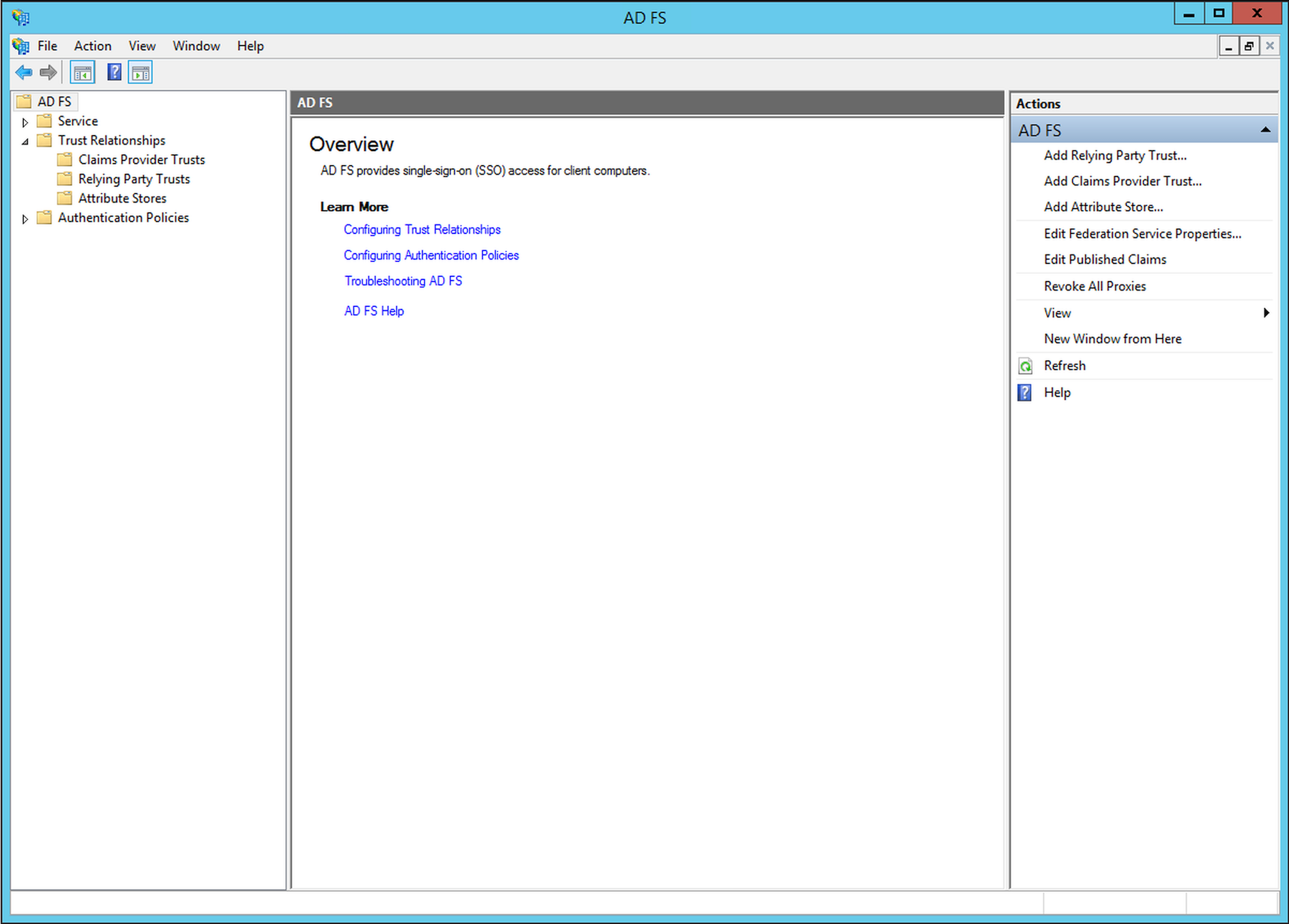
開啟 AD FS Management 主控台。從 Actions 選單中選擇 Add Relying Party Trust..,然後點擊 Start。
-
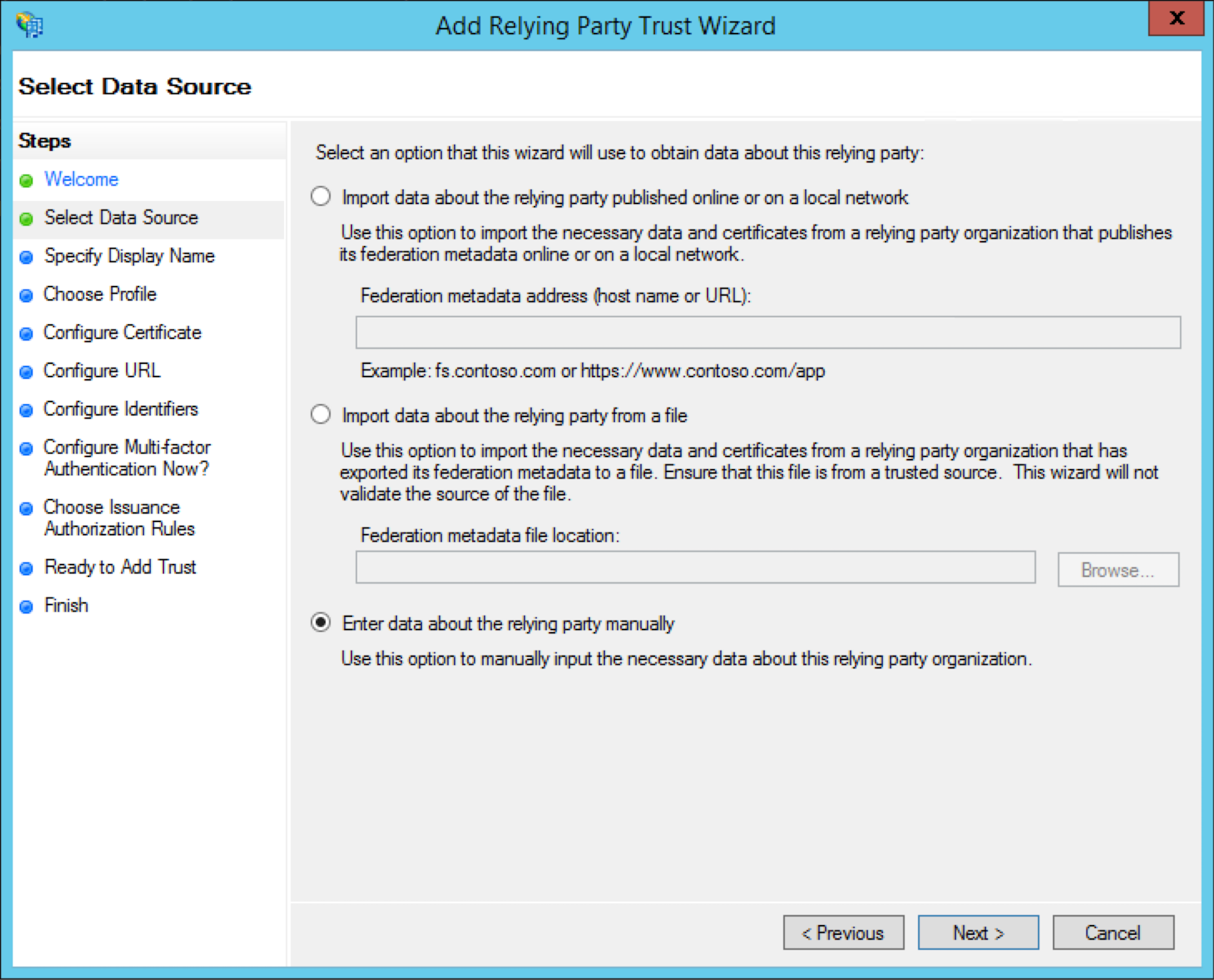
選擇 Enter data about the relying party manually 作為取得信賴憑證者資料的選項。
-
為您的信賴憑證者信任輸入所需的 Display name。例如,
Rancher。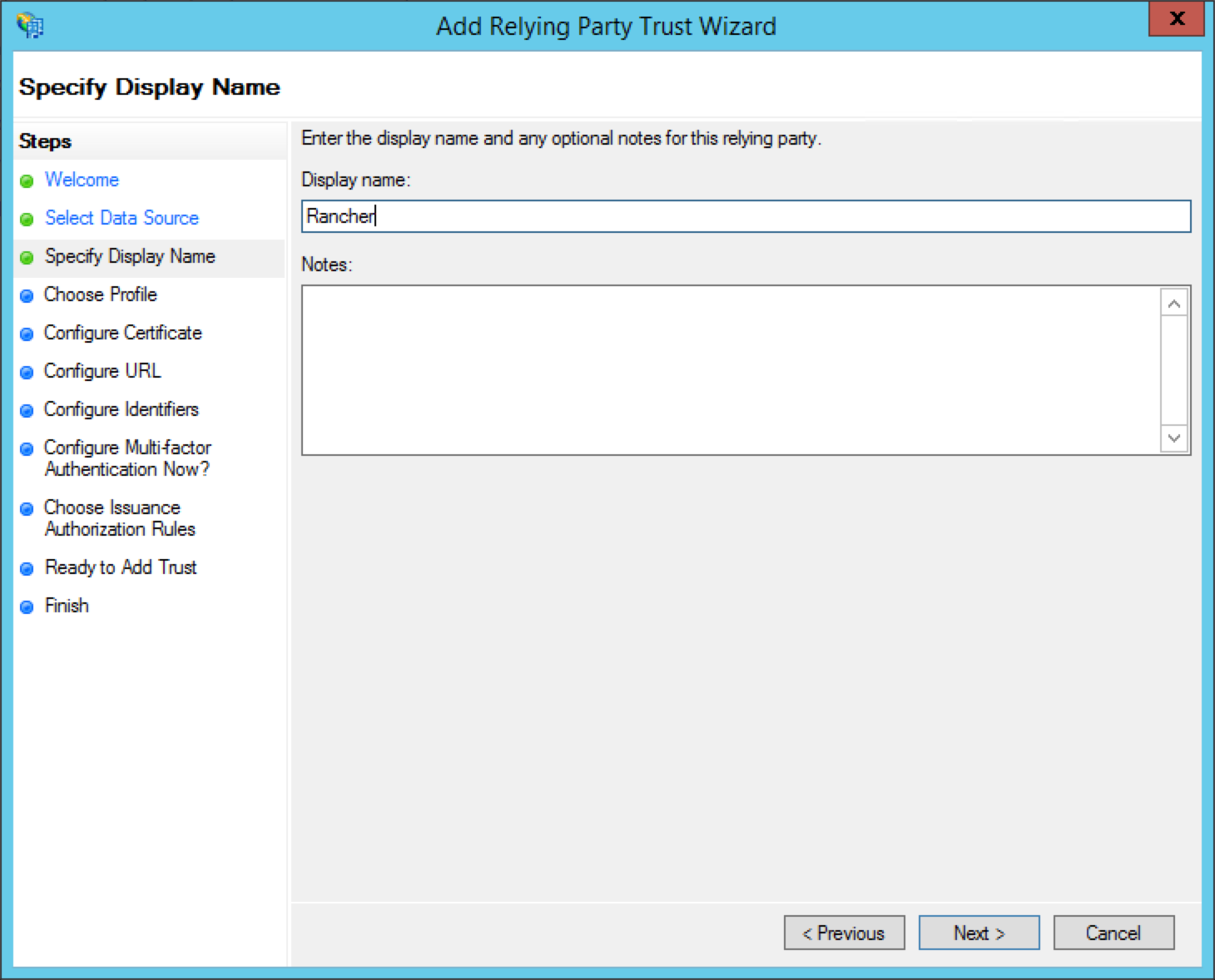
-
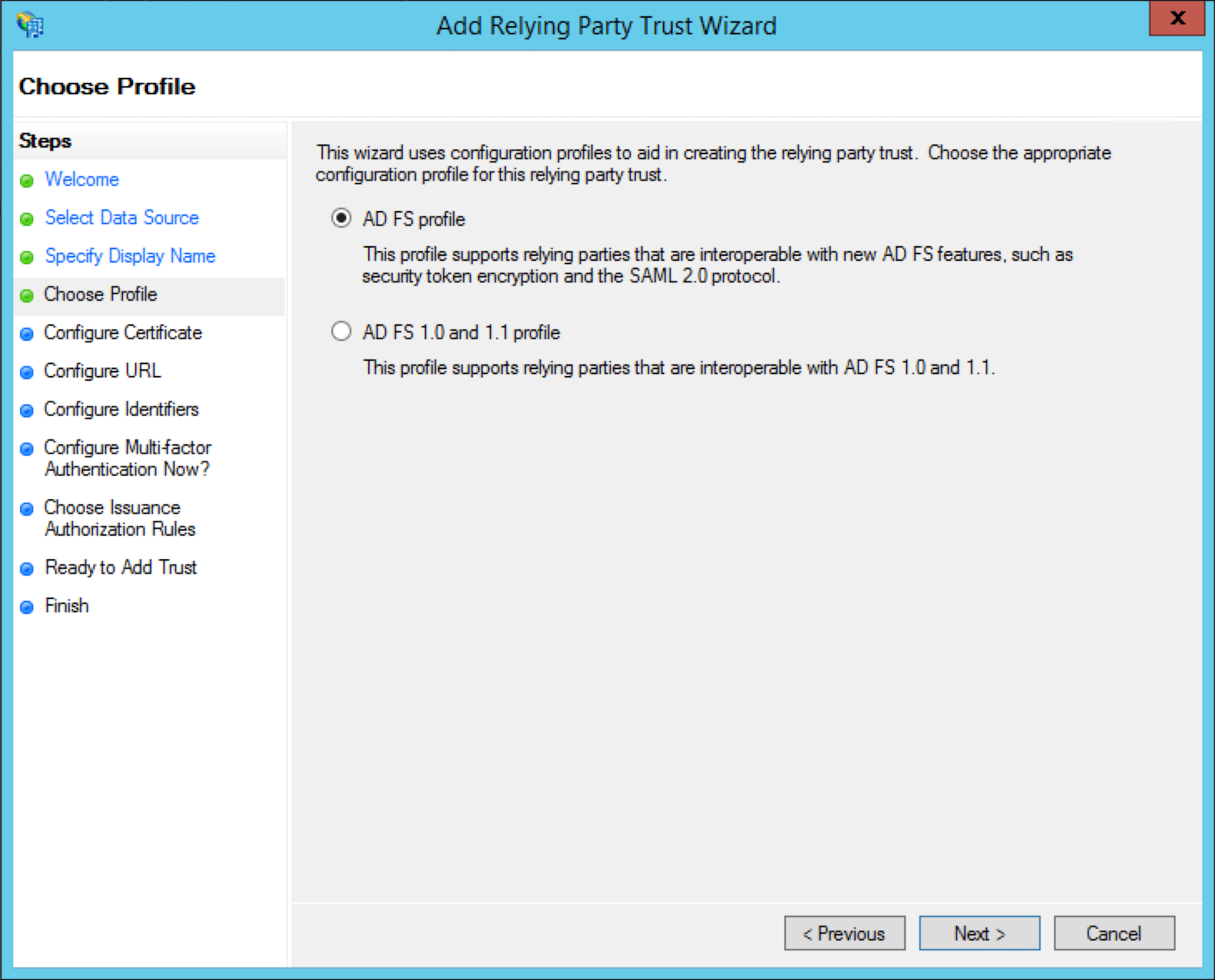
選擇 AD FS profile 作為信賴憑證者信任的設定設定檔。
-
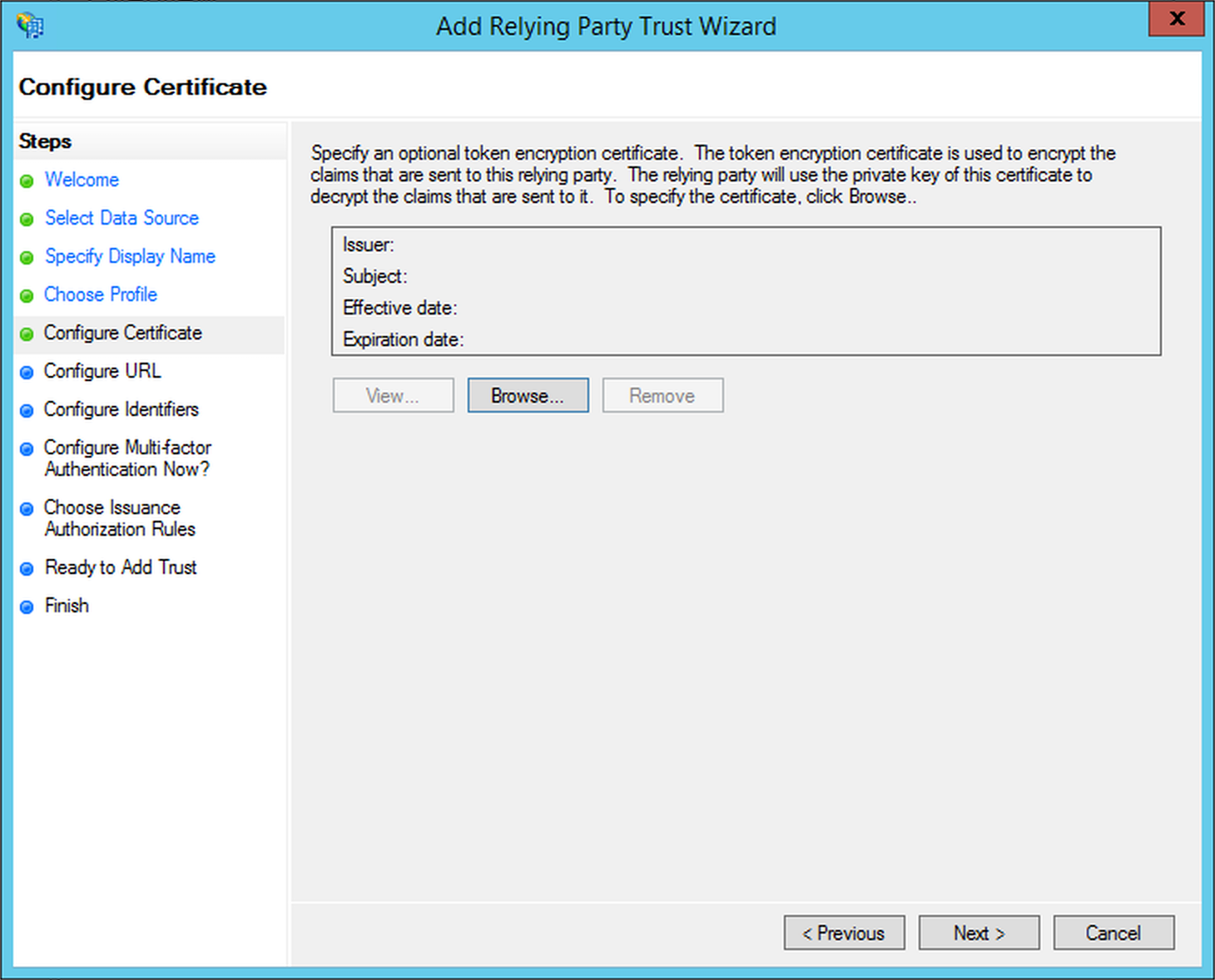
將 optional token encryption certificate 留空,因為 Rancher AD FS 不會使用它。
-
選擇 Enable support for the SAML 2.0 WebSSO protocol,並為服務 URL 輸入
https://<rancher-server>/v1-saml/adfs/saml/acs。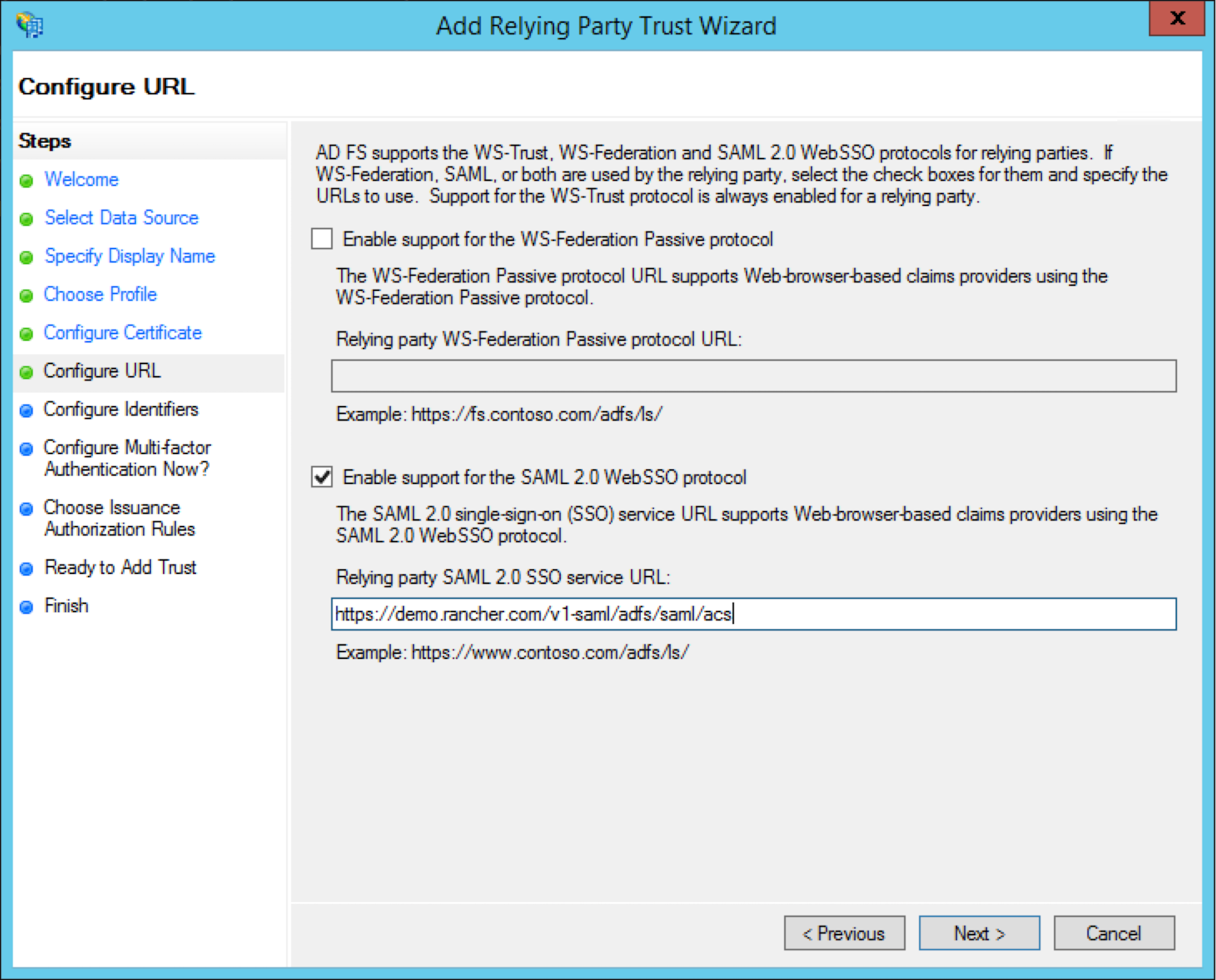
-
新增
https://<rancher-server>/v1-saml/adfs/saml/metadata作為 Relying party trust identifier。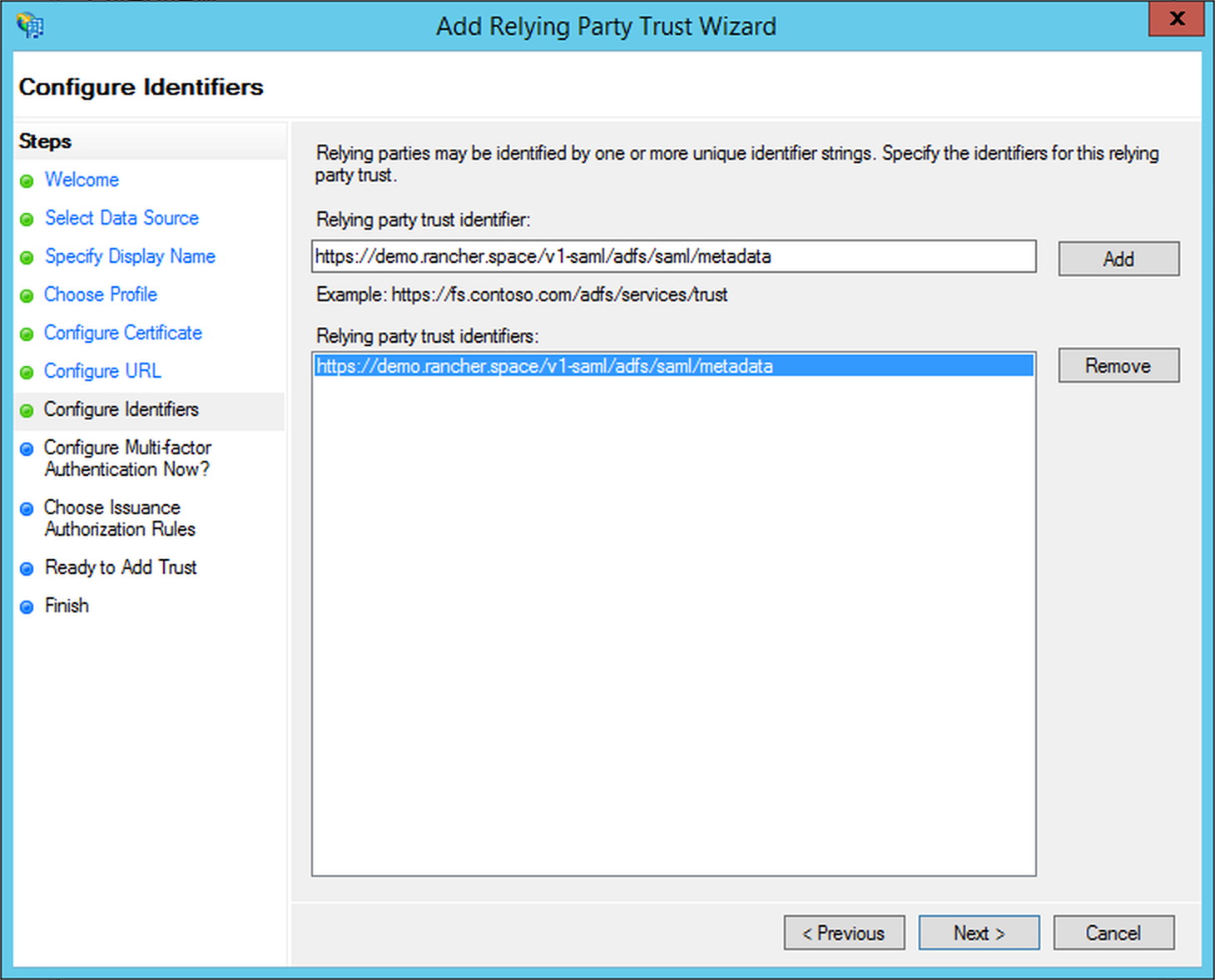
-
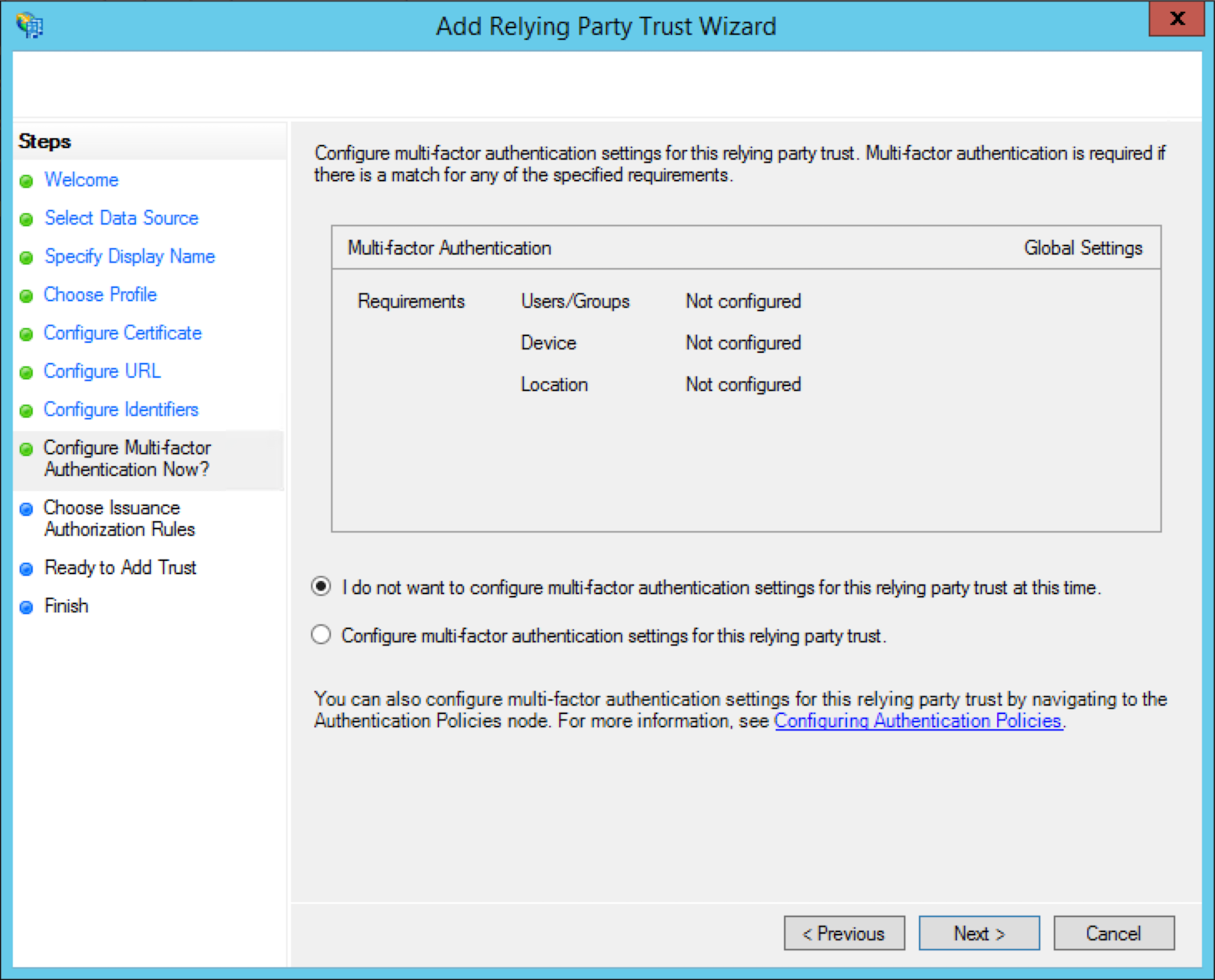
本教學不會涵蓋多因素身份驗證;如果您想設定多因素身份驗證,請參閱 Microsoft 文件。
-
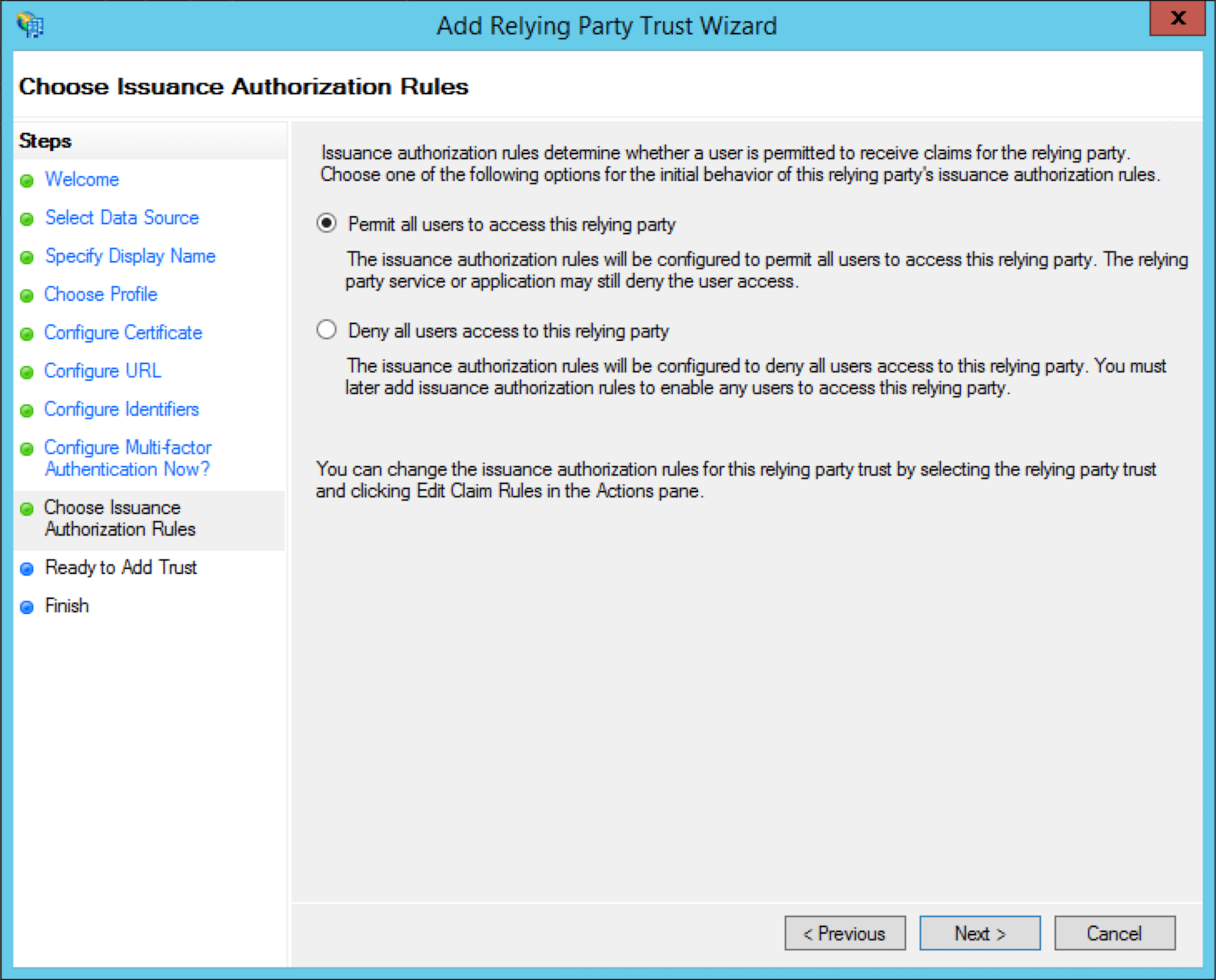
從 Choose Issuance Authorization RUles 中,您可以根據使用情境選擇可用的任何選項。但是,就本指南而言,請選擇 Permit all users to access this relying party。
-
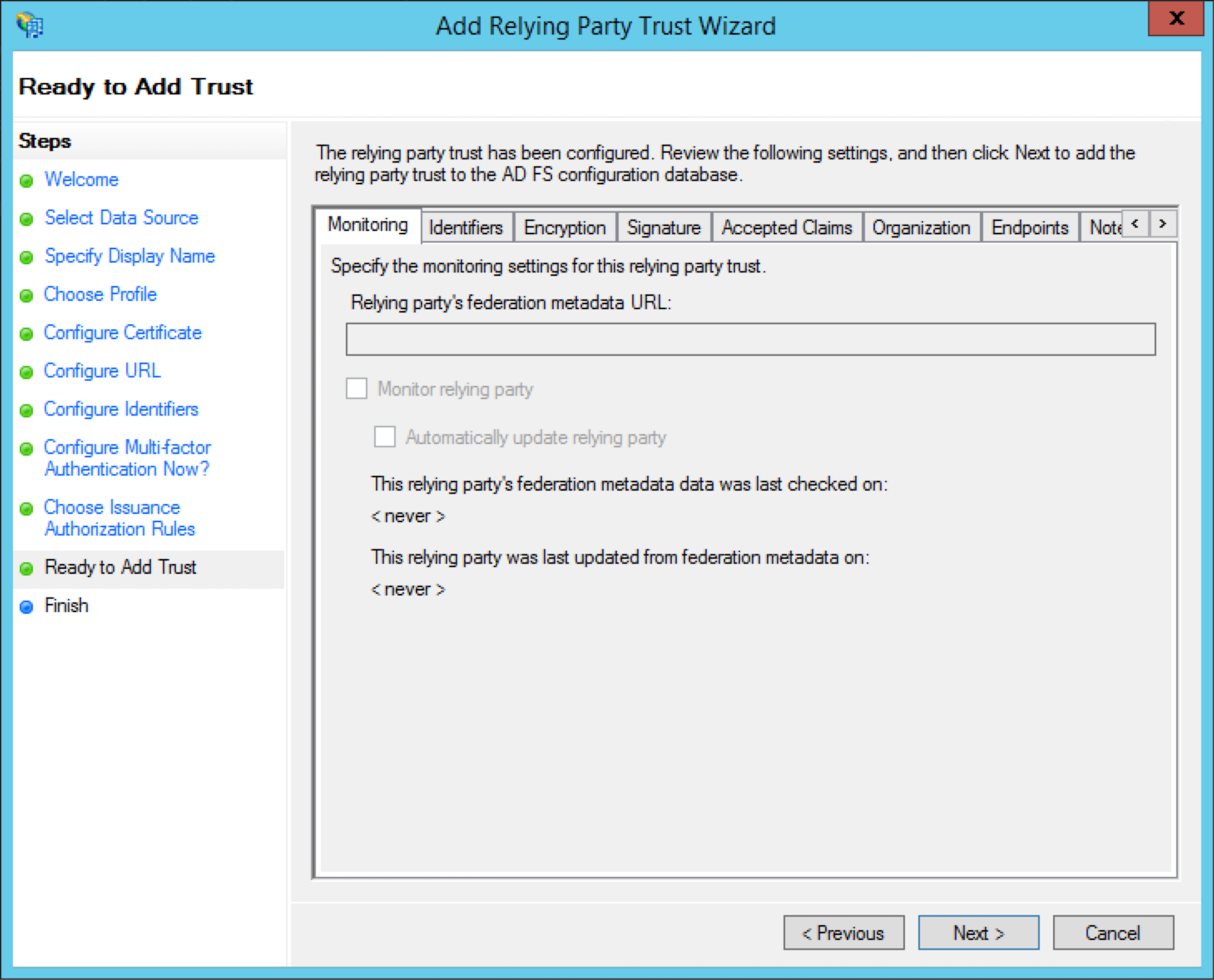
檢查您的設定後,選擇 Next 以新增信賴憑證者信任。
-
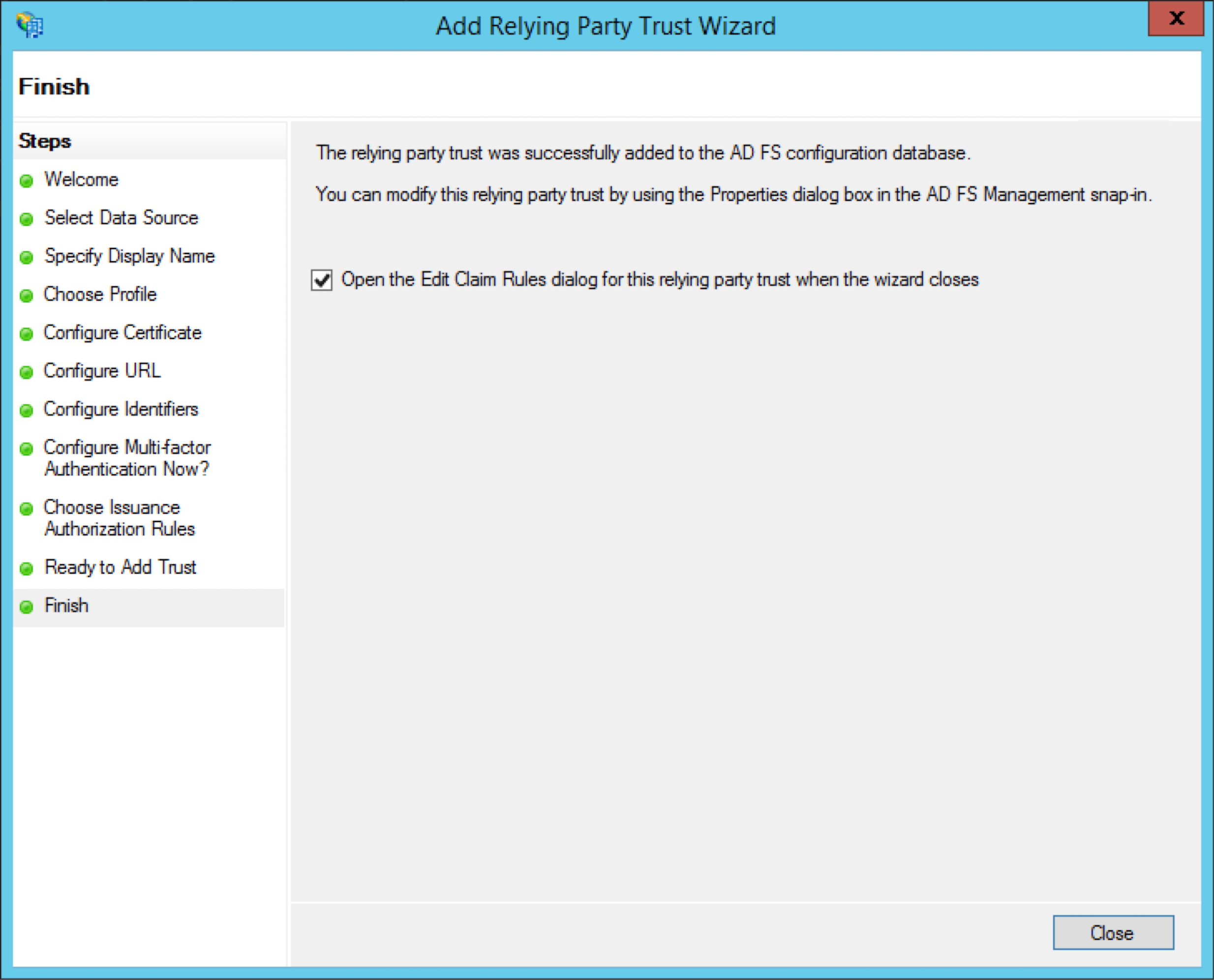
選擇 Open the Edit Claim Rules..,然後點擊 Close。
-
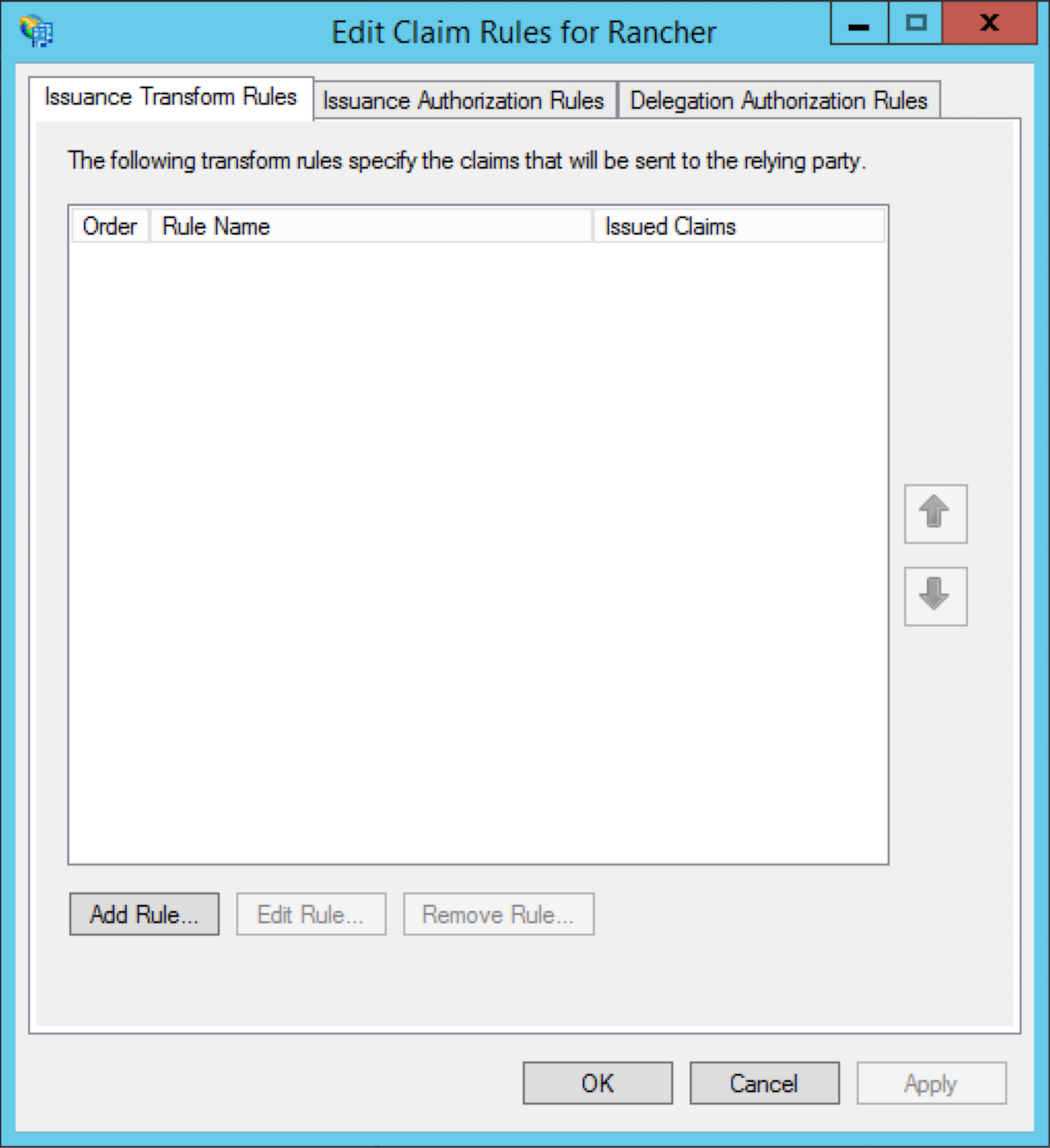
在 Issuance Transform Rules 分頁上,點擊 Add Rule..。
-
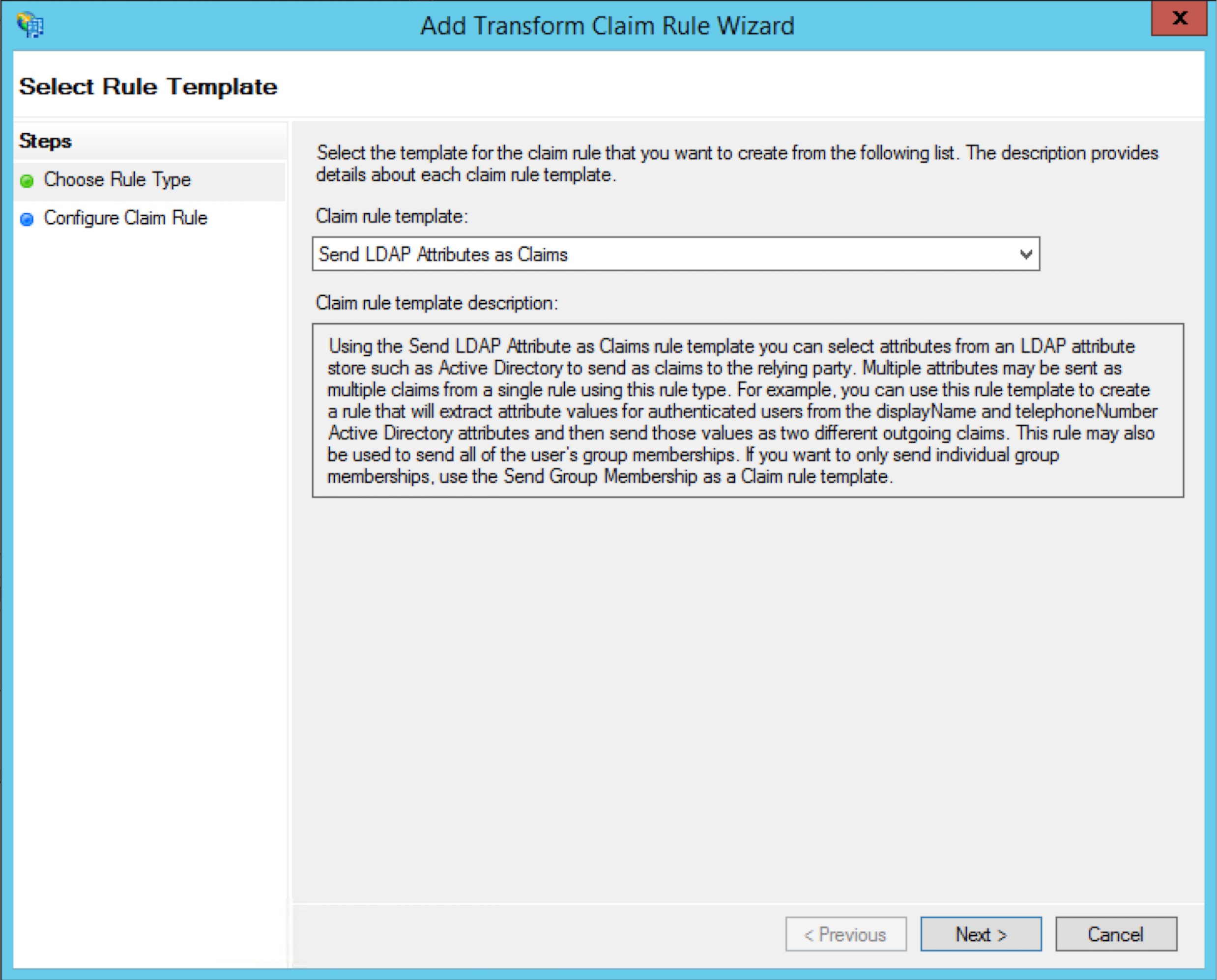
選擇 Send LDAP Attributes as Claims 作為 Claim rule template。
-
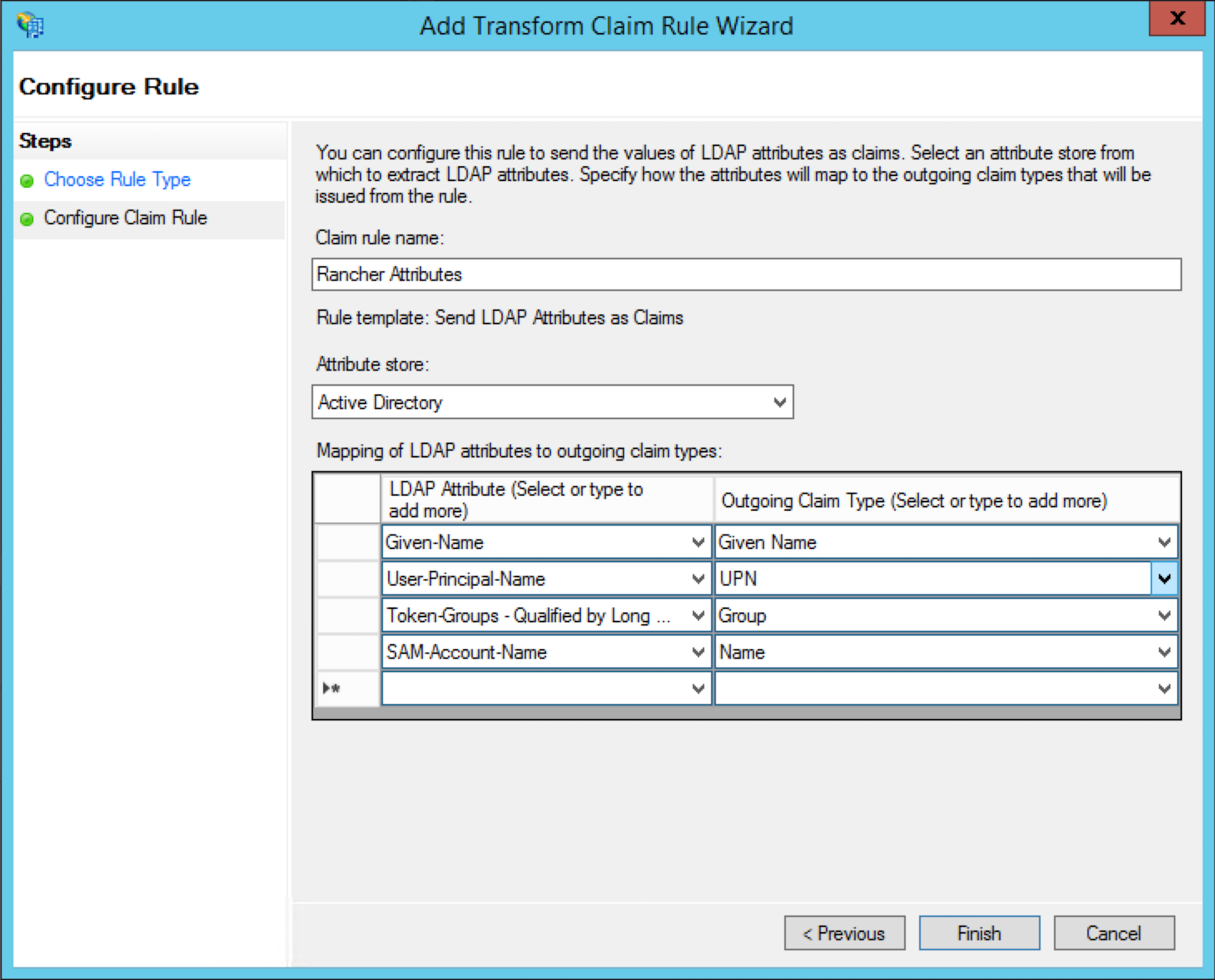
將 Claim rule name 設定為您想要的名稱(例如,
Rancher Attributes),並選擇 Active Directory 作為 Attribute store。建立以下映射以反映下表:LDAP Attribute Outgoing Claim Type Given-Name Given Name User-Principal-Name UPN Token-Groups - Qualified by Long Domain Name Group SAM-Account-Name Name
-
從您的 AD 伺服器下載
federationmetadata.xml:
https://<AD_SERVER>/federationmetadata/2007-06/federationmetadata.xml
**結果:**您已將 Rancher 新增為信賴憑證者。現在您可以設定 Rancher 以利用 AD。