在 VMware vSphere Console 中建立憑證
本節說明如何建立 VMware vSphere 使用者名稱和密碼。您必須將這些 vSphere 憑證提供給 Rancher,這樣才能讓 Rancher 在 vSphere 中佈建資源。
下表列出了 vSphere 使用者帳戶所需的權限:
| 權限群組 | 操作 |
|---|---|
| Cns Privileges | Searchable |
| Content library | Read Storage (僅在從內容庫部署模板時需要) |
| Cryptographic operations | Direct Access |
| Datastore | AllocateSpace Browse FileManagement (Low level file operations) UpdateVirtualMachineFiles UpdateVirtualMachineMetadata |
| Global | Set custom attribute |
| Network | Assign |
| Resource | AssignVMToPool |
| Virtual Machine | Config (All) GuestOperations (All) Interact (All) Inventory (All) Provisioning (All) |
| vSphere Tagging | Assign or Unassign vSphere Tag Assign or Unassign vSphere Tag on Object |
以下步驟會建立一個具有所需權限的角色,然後在 vSphere Console 中將其分配給新使用者:
-
從 vSphere Console,前往管理頁面。
-
前往角色分頁。
-
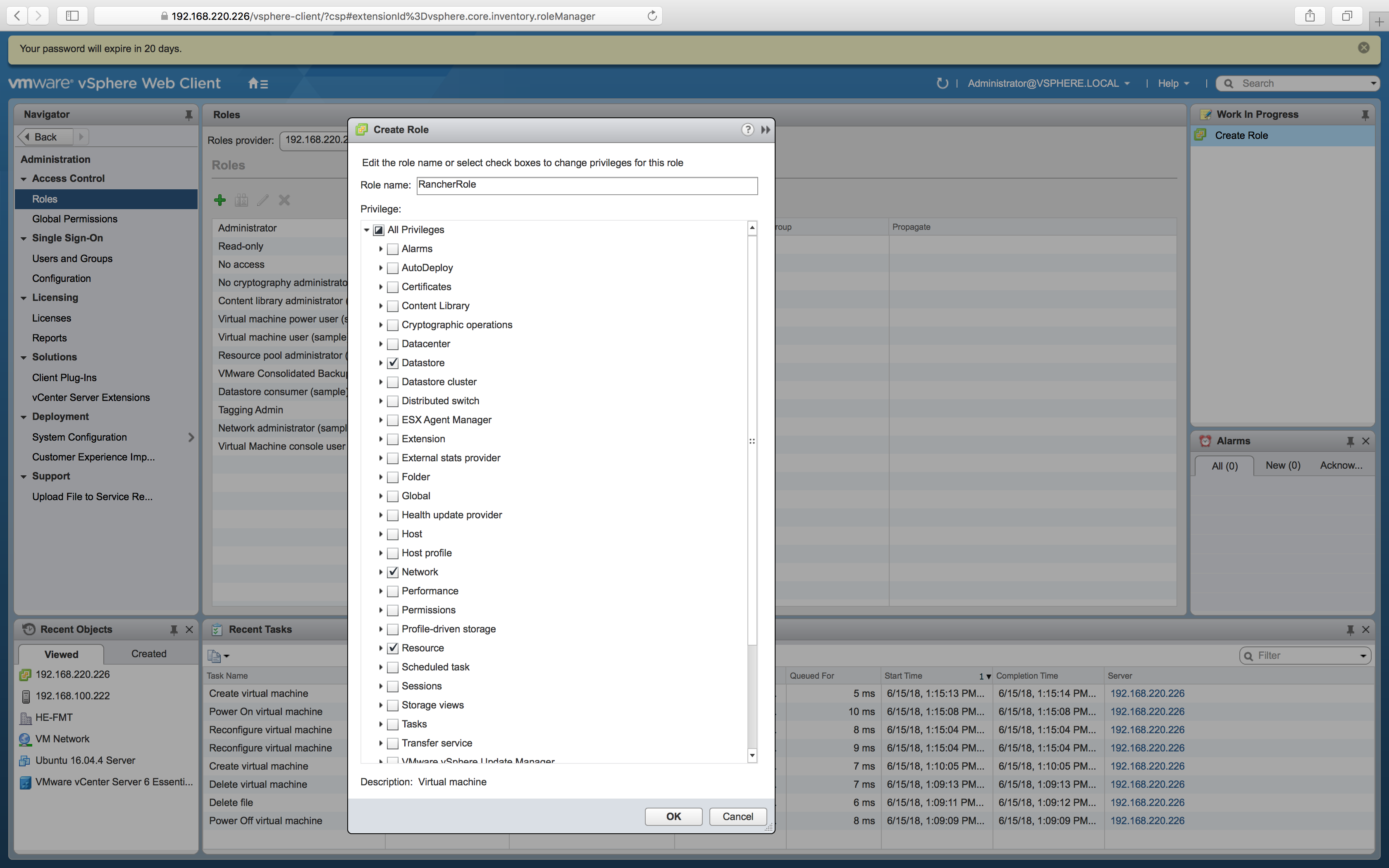
建立新角色。為其命名並選擇上面權限表中列出的權限。
-
前往使用者和群組分頁。
-
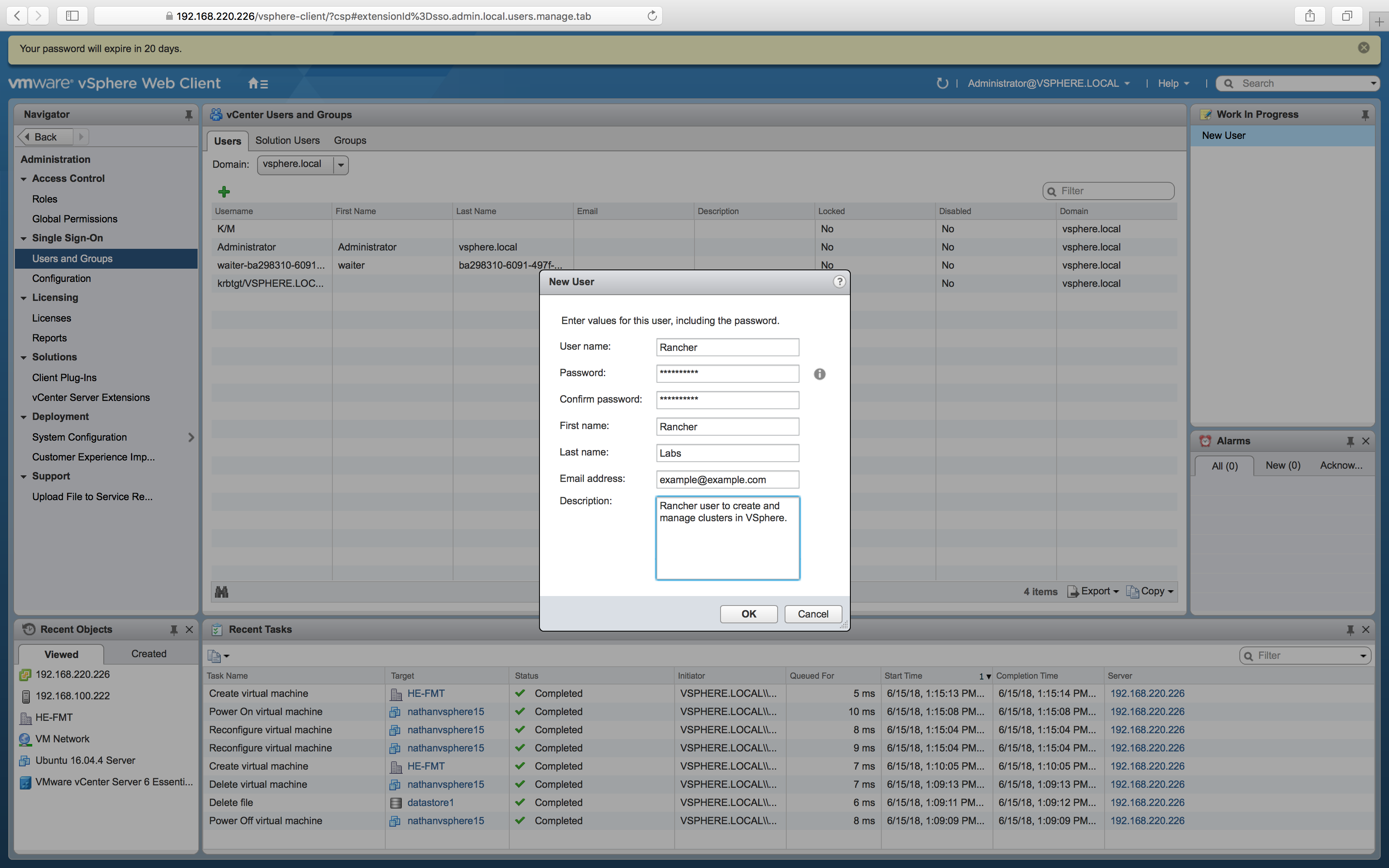
建立新使用者。填寫表單,然後點擊確定。請務必記下使用者名稱和密碼,因為在 Rancher 中建立雲端憑證時會需要它。
-
前往全域權限分頁。
-
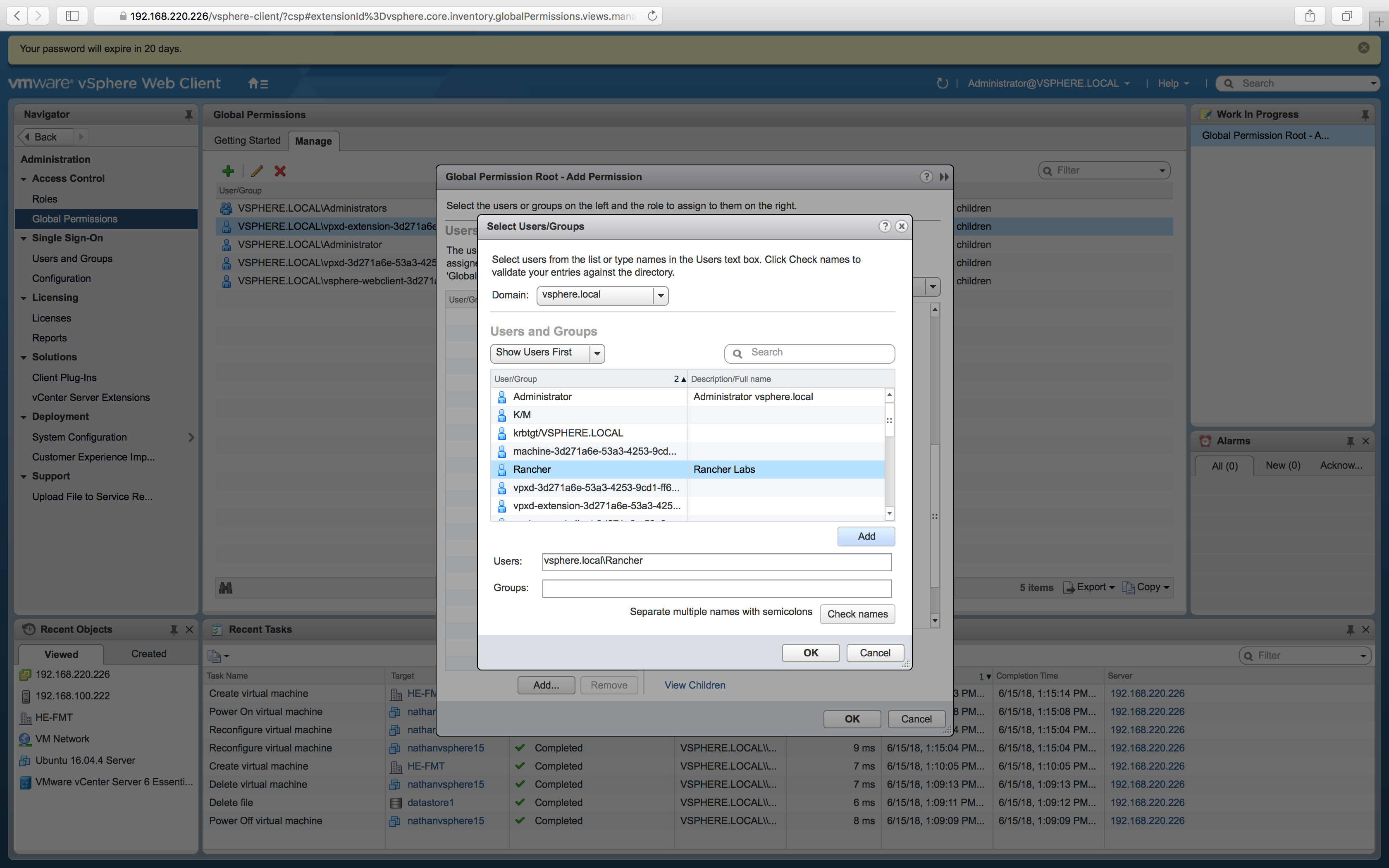
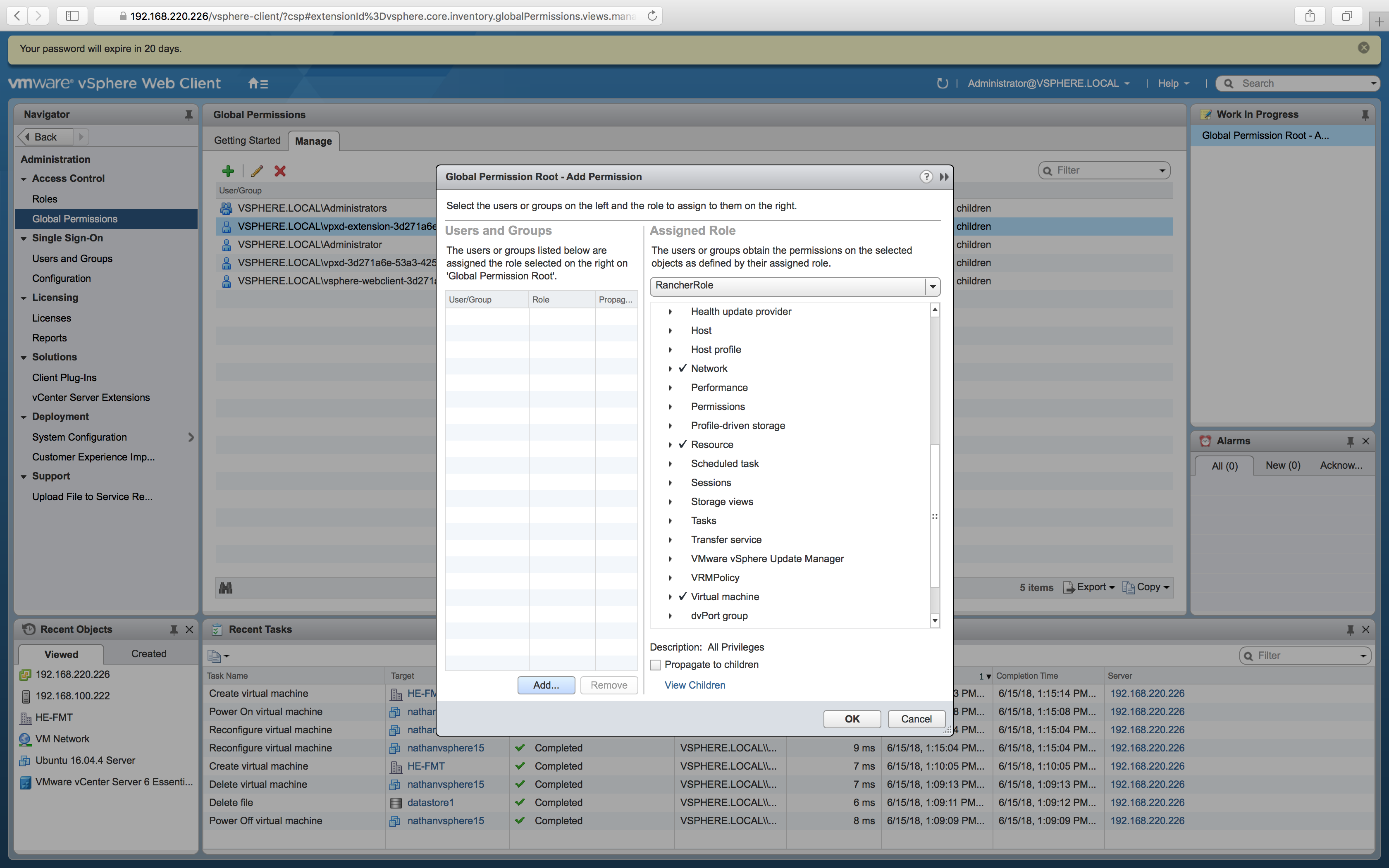
建立新的全域權限。新增您之前建立的使用者,並為其分配您之前建立的角色。點擊確定。
結果: 您現在擁有 Rancher 可用於操作 vSphere 資源的憑證。