概述
Longhorn 是一個輕量級、可靠且易於使用的 Kubernetes 分散式區塊儲存系統。
Longhorn 是免費的開源軟體。最初由 Rancher Labs 開發,現在作為 Cloud Native Computing Foundation 的沙盒專案進行開發。它可以使用 Helm、kubectl 或 Rancher UI 安裝在任何 Kubernetes 叢集上。您可以在這裡了解更多關於其架構的資訊。
使用 Longhorn,您可以:
- 使用 Longhorn 磁碟區作為 Kubernetes 叢集中分散式有狀態應用程式的持久儲存
- 將您的區塊儲存分割為 Longhorn 磁碟區,以便您可以在有或沒有雲端提供者的情況下使用 Kubernetes 磁碟區
- 在多個節點和資料中心之間複製區塊儲存以提高可用性
- 將備份資料儲存在外部儲存中,例如 NFS 或 AWS S3
- 建立跨叢集災難復原磁碟區,以便可以從第二個 Kubernetes 叢集中的備份快速復原主要 Kubernetes 叢集的資料
- 排程磁碟區的定期快照,並排程定期備份到 NFS 或 S3 相容的次要儲存
- 從備份還原磁碟區
- 在不中斷持久磁碟區的情況下升級 Longhorn
使用 Rancher 安裝 Longhorn
- 滿足所有安裝要求。
- 前往您想要安裝 Longhorn 的叢集。
- 點擊 Apps。
- 點擊 Charts。
- 點擊 Longhorn。
- 可選:要自訂初始設定,請點擊 Longhorn Default Settings 並編輯設定。有關自訂設定的幫助,請參閱 Longhorn 文件。
- 點擊 Install。
結果: Longhorn 已部署在 Kubernetes 叢集中。
從 Rancher UI 存取 Longhorn
- 前往已安裝 Longhorn 的叢集。在左側導航選單中,點擊 Longhorn。
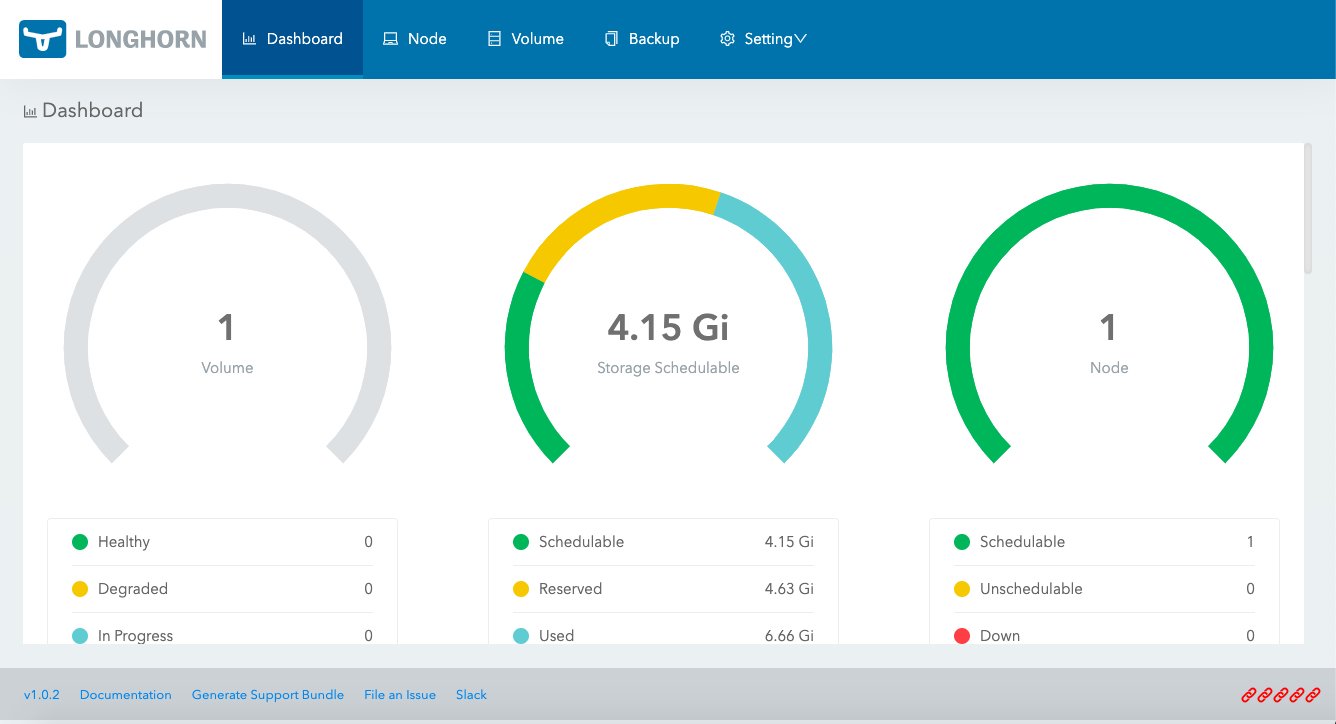
- 在此頁面上,您可以編輯由 Longhorn 管理的 Kubernetes 資源。要檢視 Longhorn UI,請點擊 Overview 部分中的 Longhorn 按鈕。
結果: 您將被帶到 Longhorn UI,在那裡您可以管理 Kubernetes 叢集中的 Longhorn 磁碟區及其副本,以及可能存在於另一個 Kubernetes 叢集或 S3 中的 Longhorn 儲存的次要備份。
從 Rancher UI 卸載 Longhorn
- 前往已安裝 Longhorn 的叢集並點擊 Apps。
- 點擊 Installed Apps。
- 前往
longhorn-system命名空間,並勾選longhorn和longhorn-crd應用程式旁邊的核取方塊。 - 點擊 Delete,並確認 Delete。
結果: Longhorn 已卸載。
GitHub 儲存庫
Longhorn 專案可在這裡取得。
文件
Longhorn 文件位於這裡。
架構
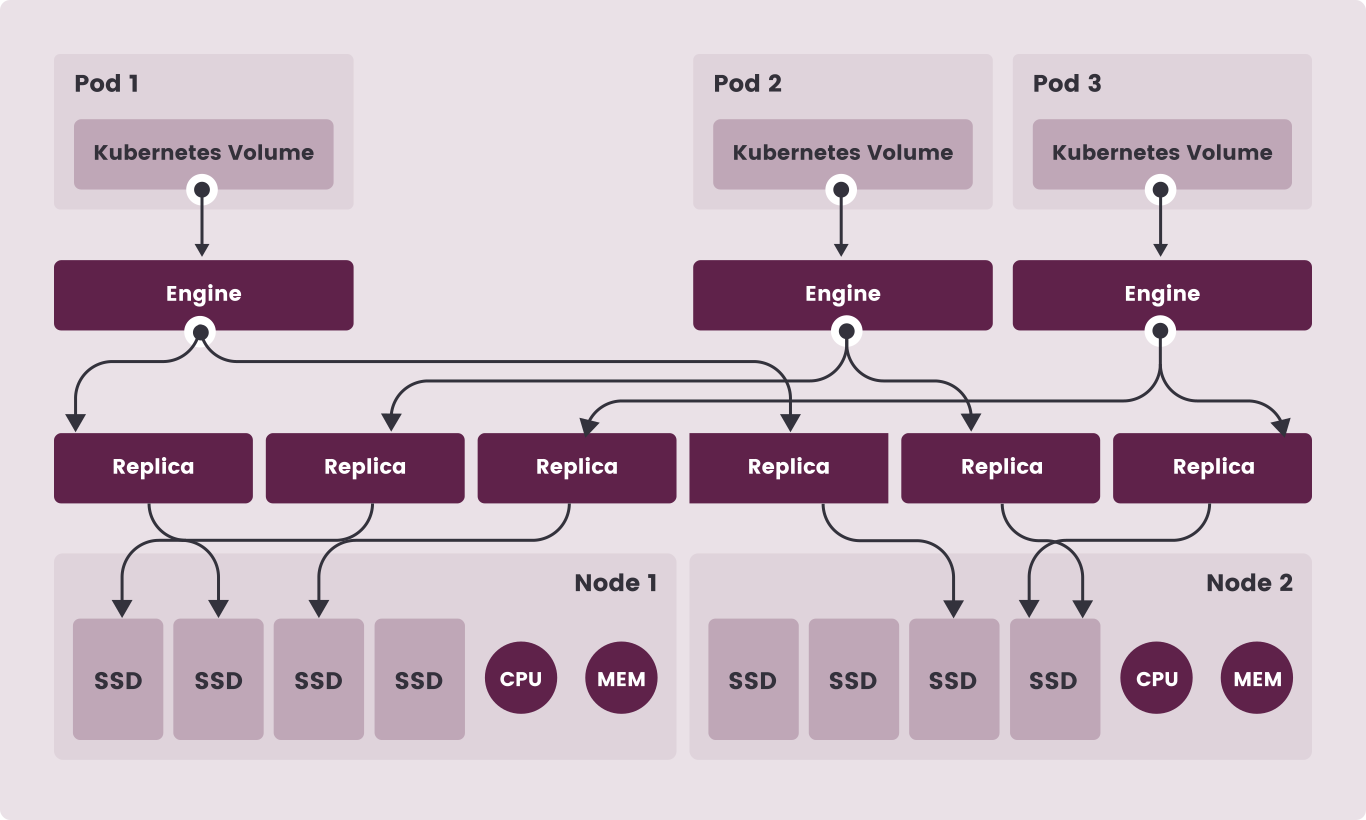
Longhorn 為每個磁碟區建立專用的儲存控制器,並在儲存於多個節點上的多個副本之間同步複製磁碟區。
儲存控制器和副本本身使用 Kubernetes 進行編排。
您可以在這裡了解更多關於其架構的資訊。