Quick Start
1. Prerequisites
- A clean Kubernetes environment with correct user privilige settings
- Available Default Storage Class
- Harbor Registry
- If Private registry is not available, download and import the image files into k8s worker node.
- jq package
1.1 Example .yaml Files
- Download from brobridge internal gitlab https://git.brobridge.com/misc/gravity2-poc
- Download from google drive https://drive.google.com/file/d/1pRMSsUnWgOHBIvftvbhXbNIgR0cvqdze/view?usp=drive_link
⚠️ Caution: Keep the file directory name and structure unchanged to ensure smooth deployment.
1.2 Images
- Download from google drive https://drive.google.com/file/d/1ehm7LJlG0WCL1Lh-7EF0hHFKDExWjPee/view?usp=drive_link https://drive.google.com/file/d/1_Ffo4i5xlOYByzPaLF-xt_G9-i_NBiYz/view?usp=drive_link
⚠️ Caution: make sure image names are consistent with the .yaml file configurations
2. Deployment
2.1 Change Directory
Decompress the .zip file and cd into the script directory
cd gravity2-poc/scripts
2.2 Edit config
Edit the config file under the script directory
namespace="gravity2-poc"
git_repo="${namespace}"
git_branch="main"
#### Don't remove above lines, but values can be changed ###
#
#### Below settings will be overwritten by scripts ###
2.3 Execute set_all.sh
./set_all.sh
📝 Note:
jqpackage must be installed to run the script, comment out 05-prep_flows.sh and upload flow manually to Gitea server ifjqpackage isn't available.
2.3.1 Configure Gitea
After executing the set_all.sh shell script, gitea must be configured. Admin account will be recorded in the config file,
2.3.2 Troubleshooting
In the rare case of deployment failure, execute reset_all.sh to delete and re-deploy all the components (excluding DB and gitea).
2.4 Verify
2.4.1 Results
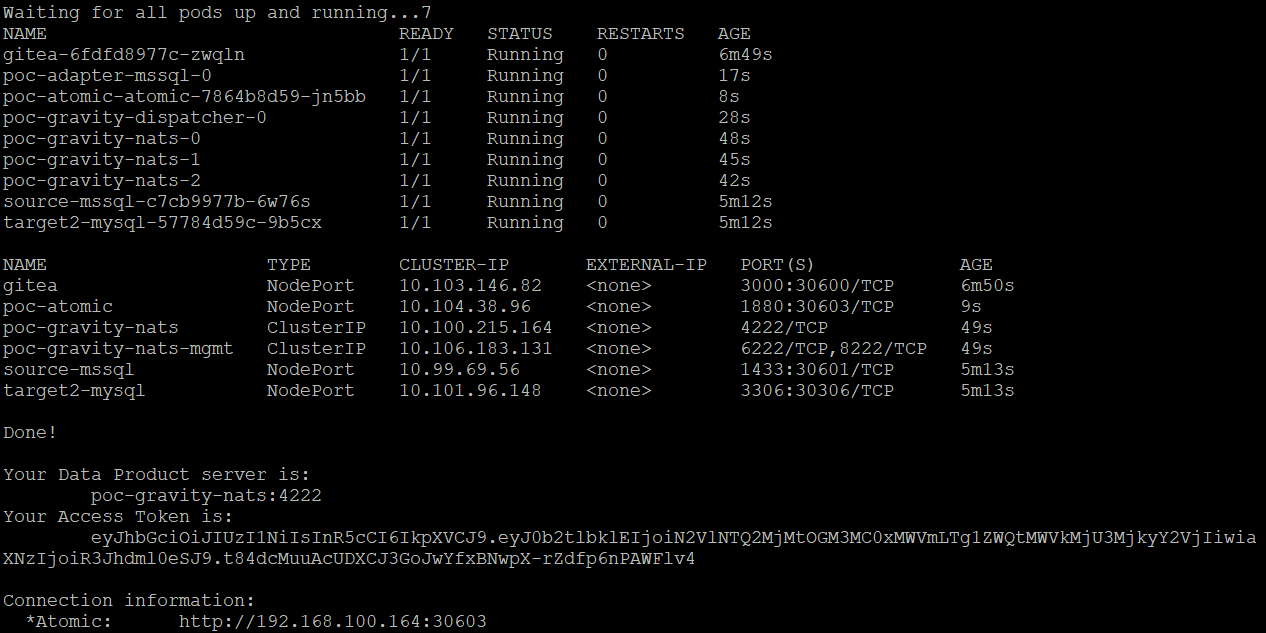
It would take a few minutes to complete all the deployment jobs.
You should see something like this upon completion:
2.4.2 Inject Sample Data
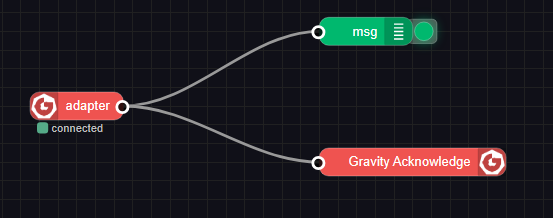
Follow the tips and instructions shown on the graphical interface and connect to Atomic services.
Verify whether the Subscriber module is labeled with connected status.
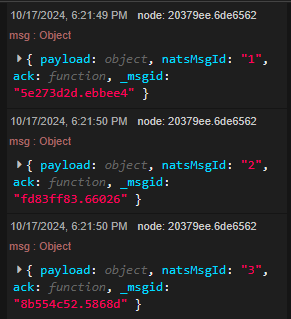
On the right side, switch to the "Debug Window" labeled with a little bug icon

Return to the db-test directory then execute insert.sh shell script.
cd ../20-poc-db/db-test/
./insert.sh
this will insert sample data into atomic services.
In atomic, check if there are 3 records of messages received.
-- END --