LDAP configurations for Atomic
1. Overview
You may manipulate environment variables to alter LDAP authentication settings
| Environment Variables | Description | Examples |
|---|---|---|
| LDAP_AUTH_ENABLED | Enabling/disabling LDAP service | true |
| LDAP_HOSTS | LDAP Server address | ldaps://172.17.0.1 |
| LDAP_BASE | Starting point (base DN) for LDAP searches | ou=rd,dc=example,dc=org |
| LDAP_FILTER_TEMPLATE | Search filter template with placeholders | uid={{username}} |
| LDAP_BIND_DN | DN for binding (authenticating) to the LDAP server (must have read access) | cn=admin,dc=example,dc=org |
| LDAP_BIND_PW | Password for the bind DB | admin |
| LDAP_NO_VERIFY_SSL | Disables SSL certificate verification (use cautiously) | true |
2. Set-Up Example LDAP Server
2.1 Start Server
For Docker
docker run --name ldap-server --hostname ldap-server \
  -e LDAP_TLS_VERIFY_CLIENT="try" \
  -p 389:389 \
  -p 636:636 \
  --detach osixia/openldap:latest
Start phpLdapAdmin
docker run --name ldap-admin -p 6443:443 \
  --link ldap-server:ldap-host \
  --env PHPLDAPADMIN_LDAP_HOSTS=ldap-host  \
  --detach osixia/phpldapadmin:latest
2.2 Configure Accounts
- Connect to LDAP server using browser using tcp port 6443. e.g.,
ip_address:6443
Login DN: cn=admin,dc=example,dc=org
Password: admin
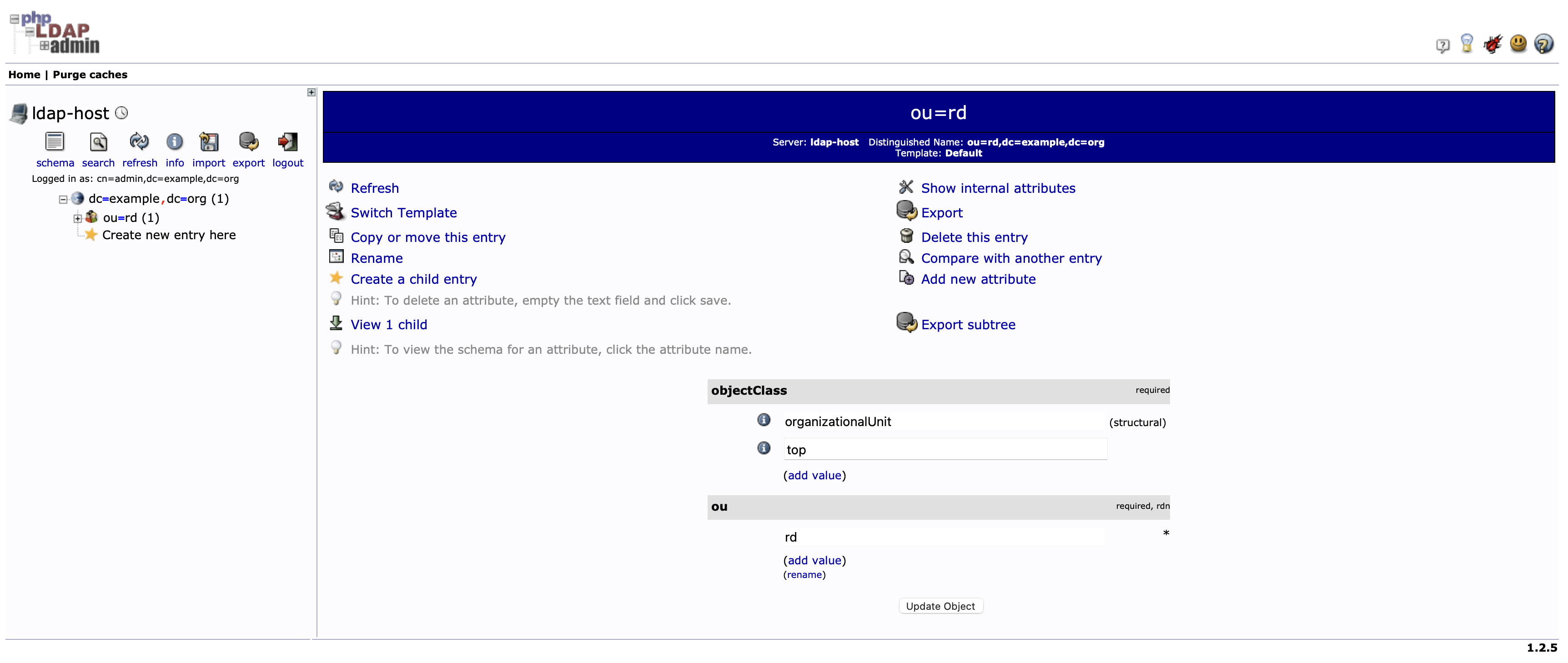
- Under
dc=example,dc=orgcreateouorganization
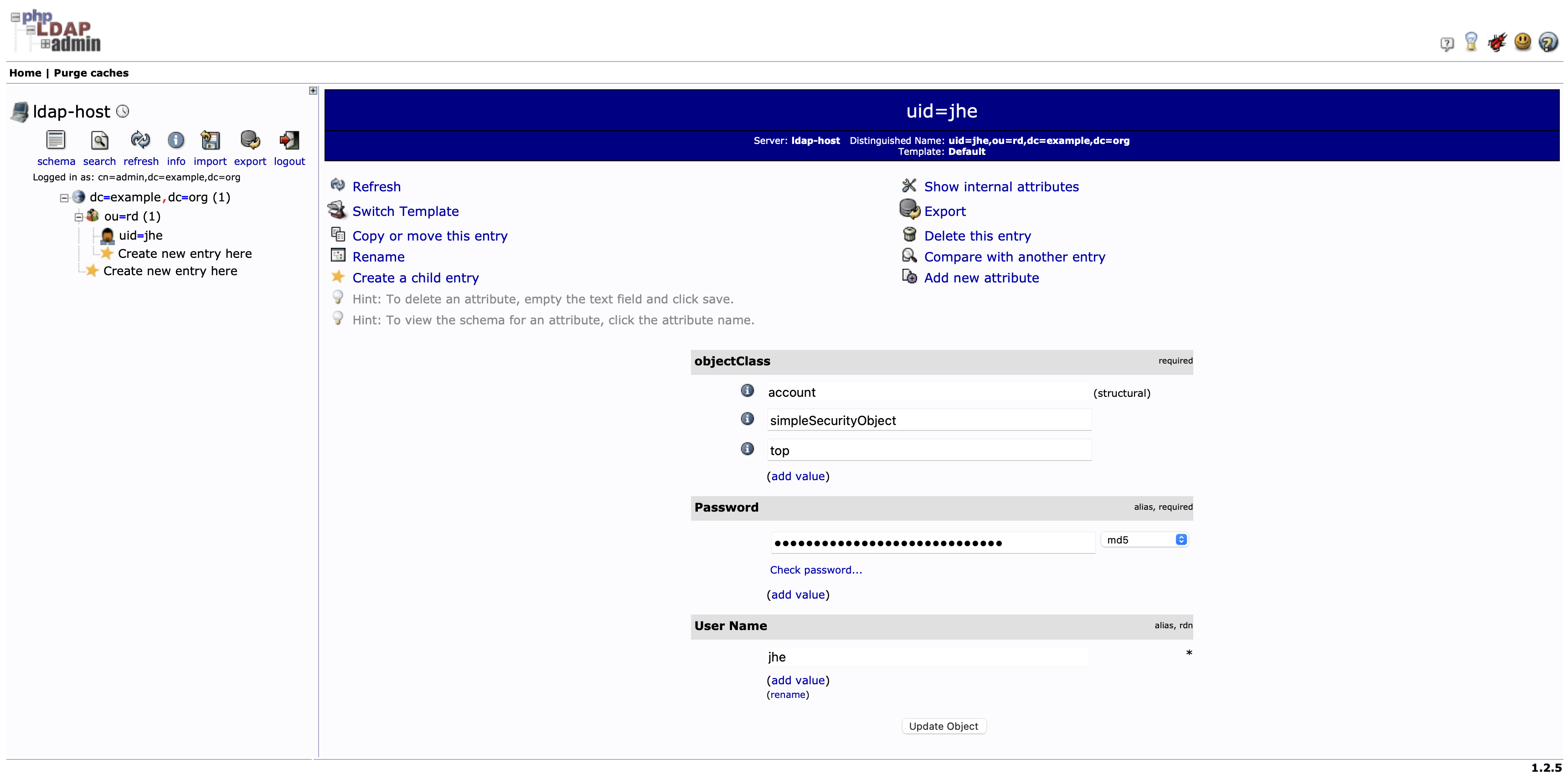
- Under
ou=rd,dc=example,dc=orgcreateuid(your account) and set up your password
2.3 Deploy LDAP Enabled Atomic
2.3.1 Run the image
docker run -it --name ldap-tester  -p 1880:1880 \
  -e LDAP_AUTH_ENABLED=true \
  -e LDAP_HOSTS='ldaps://172.17.0.1' \
  -e LDAP_BASE='ou=rd,dc=example,dc=org' \
  -e LDAP_FILTER_TEMPLATE='uid={{username}}' \
  -e LDAP_BIND_DN='cn=admin,dc=example,dc=org' \
  -e LDAP_BIND_PW='admin' \
  -e LDAP_NO_VERIFY_SSL=true  \
  hb.k8sbridge.com/atomic/atomic:v0.0.5-20231012-ubi
📝 Note:
LDAP_BASE='ou=rd,dc=example,dc=org'is the starting point for LDAP searches,LDAP_FILTER_TEMPLATE='uid={{username}}'is the variable that it authenticates.
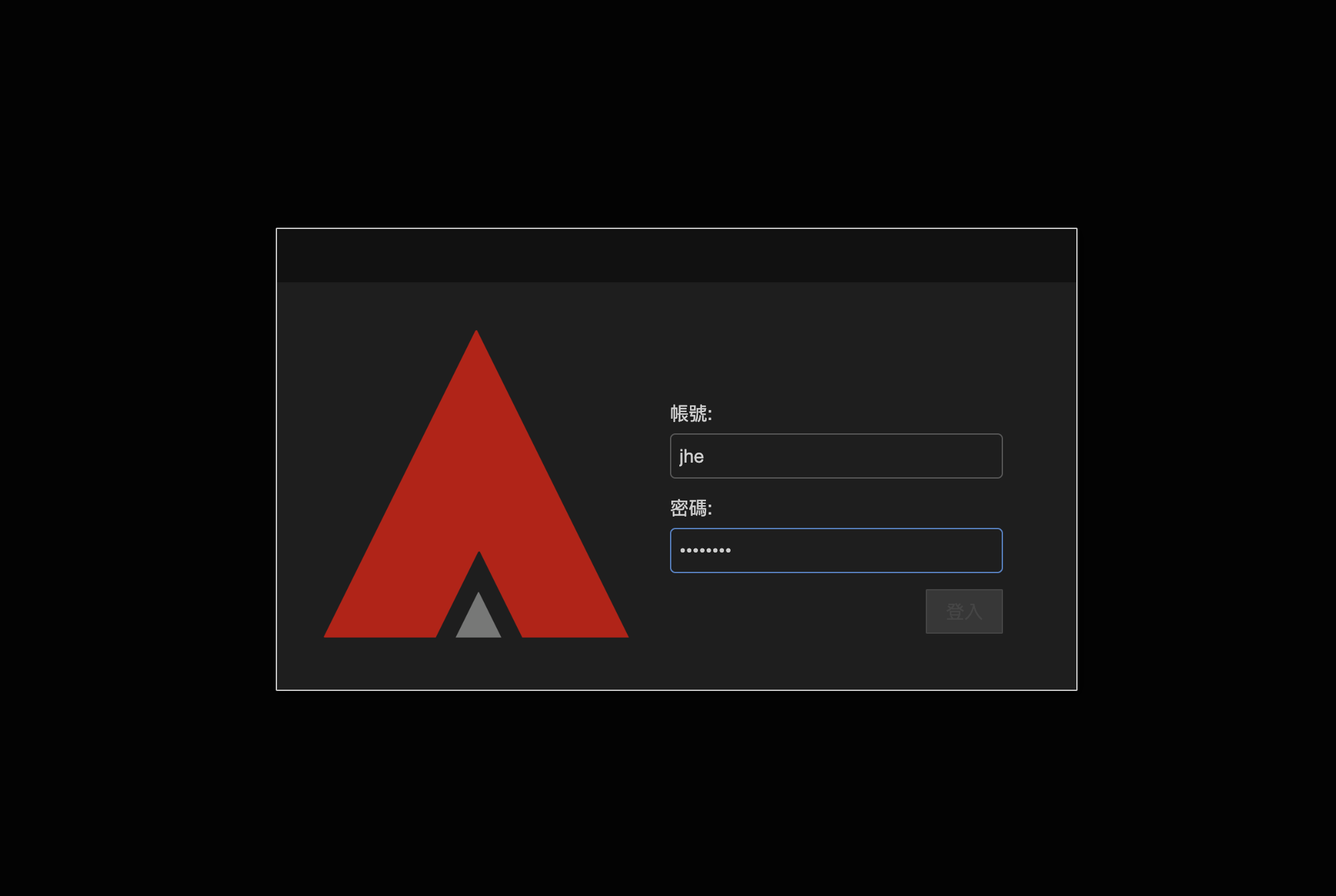
2.3.2 Navigate to Atomic
Look up the ip_address of the container that we just ran, open a browser of your choice and connect to ip_address:1880. You should see something like this
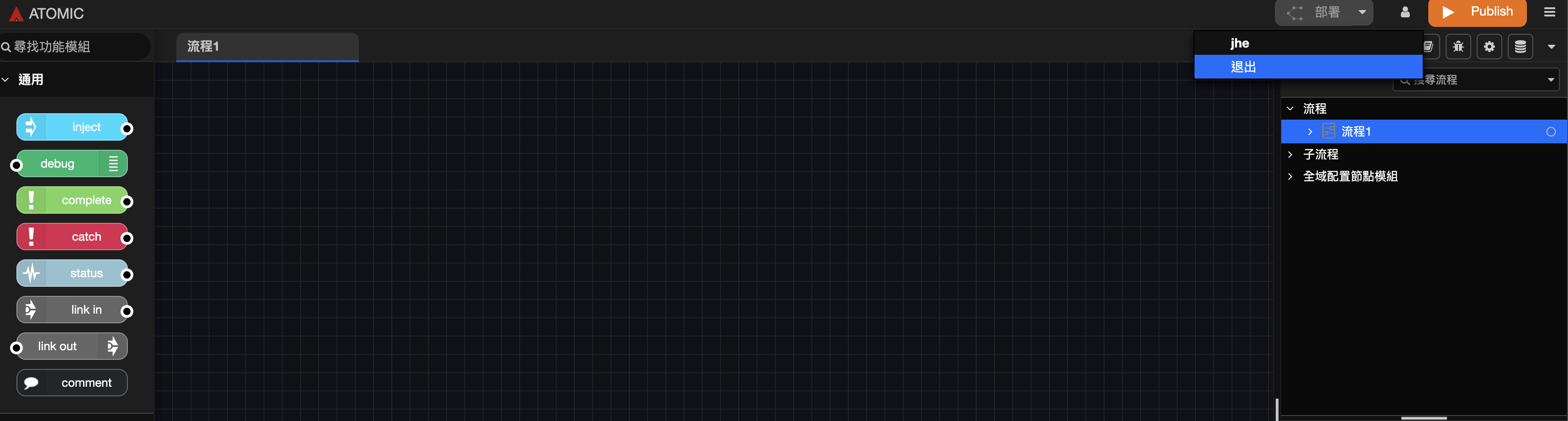
You may logout here
2.4 Kubernetes Deployment
The following example sets up LDAP authentication under kubernetes environment.
2.4.1 Example YAML file for initial Set-Up
apiVersion: apps/v1
kind: Deployment
metadata:
  labels:
    app: atomic
    release: ifxtestpk1-ldap
  name: ifxtestpk1-atomic-ldap
  namespace: poc-informix
spec:
  progressDeadlineSeconds: 600
  replicas: 1
  revisionHistoryLimit: 10
  selector:
    matchLabels:
      app: atomic
      release: poc-atomic-ldap
  strategy:
    rollingUpdate:
      maxSurge: 25%
      maxUnavailable: 25%
    type: RollingUpdate
  template:
    metadata:
      creationTimestamp: null
      labels:
        app: atomic
        release: poc-atomic-ldap
    spec:
      containers:
        - image: ghcr.io/brobridgeorg/atomic:v1.0.0-20241201-ubi
        - imagePullPolicy: IfNotPresent
          env:
            - name: LDAP_AUTH_ENABLED
              value: 'true'
            - name: LDAP_HOSTS
              value: 'ldaps://192.168.8.227'
            - name: LDAP_BASE
              value: 'ou=rd,dc=example,dc=org'
            - name: LDAP_FILTER_TEMPLATE
              value: 'uid={{username}}'
            - name: LDAP_BIND_DN
              value: 'cn=admin,dc=example,dc=org'
            - name: LDAP_BIND_PW
              value: 'admin'
            - name: LDAP_NO_VERIFY_SSL
              value: 'true'

          livenessProbe:
            failureThreshold: 3
            httpGet:
              path: /
              port: 1880
              scheme: HTTP
            initialDelaySeconds: 10
            periodSeconds: 60
            successThreshold: 1
            timeoutSeconds: 10
          name: poc-atomic
          ports:
            - containerPort: 1880
              name: listen-port
              protocol: TCP
          resources: {}
          terminationMessagePath: /dev/termination-log
          terminationMessagePolicy: File
          volumeMounts:
            - mountPath: /data
              name: atomic-store
      dnsPolicy: ClusterFirst
      initContainers:
        - command:
            - sh
            - -c
            - test -d /data/atomic/.git && rm -rf /data/atomic; git clone -b main --single-branch http://demo:b3c0df752043521a6e50832de1c5a7d8871d52a3@192.168.122.50:31818/demo/poc-informix-ldap.git /data/atomic
          image: alpine/git:v2.32.0
          imagePullPolicy: IfNotPresent
          name: init-poc-atomic-git
          resources: {}
          terminationMessagePath: /dev/termination-log
          terminationMessagePolicy: File
          volumeMounts:
            - mountPath: /data
              name: atomic-store
      restartPolicy: Always
      schedulerName: default-scheduler
      securityContext:
        fsGroup: 0
        runAsGroup: 0
        runAsUser: 0
      terminationGracePeriodSeconds: 30
      volumes:
        - name: atomic-store
          emptyDir: {}

---
apiVersion: v1
kind: Service
metadata:
  labels:
    app: atomic
    release: poc-atomic-ldap
  name: poc-atomic-atomic-ldap
  namespace: poc-informix
spec:
  ports:
    - name: poc-atomic
      nodePort: 32325
      port: 1880
      protocol: TCP
      targetPort: 1880
  selector:
    app: atomic
    release: poc-atomic-ldap
  type: NodePort
2.5 Whitelisting
The following example is the DN settings with 4 different accounts
uid=jhe,ou=rd,dc=example,dc=org

uid=arthur,ou=rd,dc=example,dc=org

uid=fred,ou=rd,dc=example,dc=org

uid=kenny,ou=rd,dc=example,dc=org
If only jhe and kenny are desired for whitelist, set LDAP_FILTER_TEMPLATE in the following format
LDAP_FILTER_TEMPLATE='(&(uid={{username}})(|(uid=jhe)(uid=kenny)))'
The above logic declares that username must be a LDAP account, and its uid must match jhe or kenny.
See this article for more information.
2.6 Add LDAP to existing Atomic Project
You can add LDAP authentication to an existing atomic project by modifying ./settings.js file under the same project directory.
    adminAuth: process.env.LDAP_AUTH_ENABLED && require('/atomic/node_modules/node-red-contrib-ldap-auth').setup({
      uri: process.env.LDAP_HOSTS || '',
      base: process.env.LDAP_BASE || '',
      filterTemplate: process.env.LDAP_FILTER_TEMPLATE || '',
      bind_dn: process.env.LDAP_BIND_DN || '',
      bind_pw: process.env.LDAP_BIND_PW || '',
      no_verify_ssl: process.env.LDAP_NO_VERIFY_SSL || false,

    }),
2.6 Filtering
In the following example 4 different accounts were created and were grouped by ou
version: 1

# Entry 1: ou=rd,dc=example,dc=org
dn: ou=rd,dc=example,dc=org
objectclass: organizationalUnit
objectclass: top
ou: rd

# Entry 2: uid=armani,ou=rd,dc=example,dc=org
dn: uid=armani,ou=rd,dc=example,dc=org
objectclass: account
objectclass: simpleSecurityObject
objectclass: top
ou: aa
uid: armani
userpassword: {MD5}ktfd0qAQxZUR3CkFt+FPZA==

# Entry 3: uid=arthur,ou=rd,dc=example,dc=org
dn: uid=arthur,ou=rd,dc=example,dc=org
objectclass: account
objectclass: simpleSecurityObject
objectclass: top
ou: bb
uid: arthur
userpassword: {MD5}ktfd0qAQxZUR3CkFt+FPZA==

# Entry 4: uid=jhe,ou=rd,dc=example,dc=org
dn: uid=jhe,ou=rd,dc=example,dc=org
description: Hello
objectclass: account
objectclass: simpleSecurityObject
objectclass: top
ou: bb
uid: jhe
userpassword: {MD5}ktfd0qAQxZUR3CkFt+FPZA==

# Entry 5: uid=kenny,ou=rd,dc=example,dc=org
dn: uid=kenny,ou=rd,dc=example,dc=org
objectclass: account
objectclass: simpleSecurityObject
objectclass: top
ou: bb
ou: cc
uid: kenny
userpassword: {MD5}ktfd0qAQxZUR3CkFt+FPZA==
2.6.1 Scenario 1
Let all the accounts under ou=rd,dc=example,dc=org to login
LDAP_BASE='ou=rd,dc=example,dc=org'
LDAP_FILTER_TEMPLATE='uid={{username}}'
2.6.2 Scenario 2
Let only users jhe and kenny under ou=rd,dc=example,dc=org to login
LDAP_BASE='ou=rd,dc=example,dc=org'
LDAP_FILTER_TEMPLATE='(&(uid={{username}})(|(uid=jhe)(uid=kenny)))'
2.6.3 Scenario 3
Let only users with ou=bb (jhe, kenny, authur) under ou=rd,dc=example,dc=org to login
LDAP_BASE='ou=rd,dc=example,dc=org'
LDAP_FILTER_TEMPLATE='(&(uid={{username}})(ou=bb))'
2.6.4 Scenario 4
Let only users with ou=bb and ou-cc (kenny) under ou=rd,dc=example,dc=org to login
LDAP_BASE='ou=rd,dc=example,dc=org'
LDAP_FILTER_TEMPLATE='(&(uid={{username}})(&(ou=bb)(ou=cc)))'
2.6.5 Scenario 5
Let only users with ou=bb and ou-cc or ou=aa (kenny, armani) under ou=rd,dc=example,dc=org to login
LDAP_BASE='ou=rd,dc=example,dc=org'
LDAP_FILTER_TEMPLATE='(&(uid={{username}})(|(ou=aa)(&(ou=bb)(ou=cc))))'
2.6.6 Scenario 6
Let only users with description under ou=rd,dc=example,dc=org to login
LDAP_BASE='ou=rd,dc=example,dc=org'
LDAP_FILTER_TEMPLATE='(&(uid={{username}})(description=*))'